Patient intake that fills the chair
The layer between a new patient inquiry and a booked appointment. It answers in under 30 seconds, captures the reason for the visit, books against the live diary in your calendar & writes the record into your CRM. It never gives clinical advice. That decision is always the clinician's.
See plans & pricing →How do dental and aesthetic practices stop losing new patients?
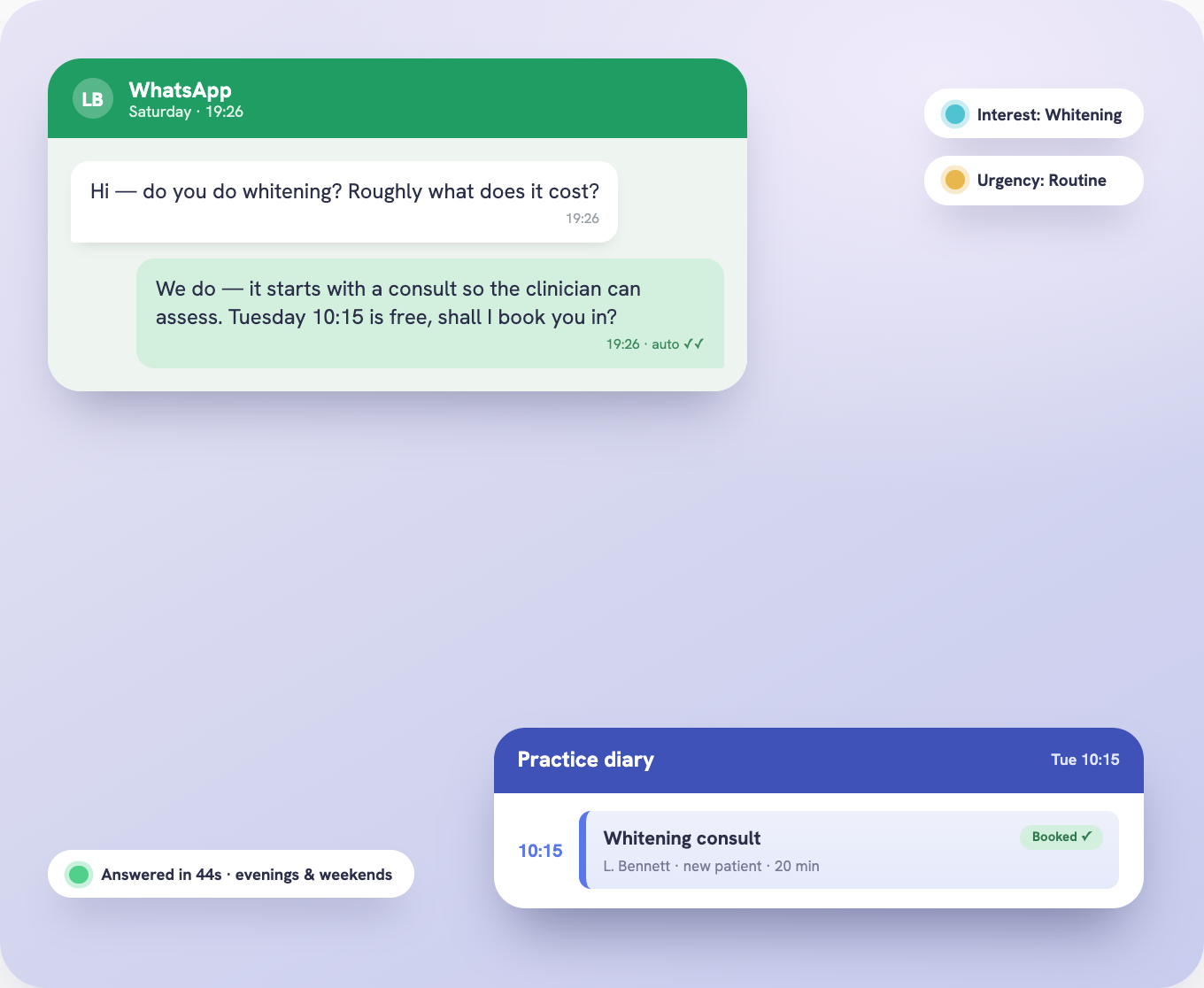
By answering every inquiry in under 30 seconds, day or night. A missed call gets a text back with a booking link; web forms and DMs get a reply just as quickly. The implant or whitening inquiry books with you before it reaches the practice down the road, with the reason for the visit captured up front.
A missed call gets a text back with a booking link; web forms and DMs get a reply just as quickly. The implant or whitening inquiry books with you before it books with the practice down the road.
Treatment interest, urgency & preferred times, captured before the front desk picks up, so the diary fills with the right appointments.
How is a patient triaged without giving clinical advice?
Through structured conversation against your protocols. Treatment interest, urgency and the questions your front desk screens on are captured and prepared for a person, never a clinical opinion. Anything symptomatic or flagged routes straight to a clinician, while routine booking, recalls and reminders run without the front desk.
Triage by structured conversation
Treatment type, urgency & the questions your practice screens on, prepared for the front desk, never a clinical opinion.
Symptoms & anything clinical
Symptoms, medical-history flags & anything needing a clinician's eye route straight to your team, with full context attached.
Scheduling, recalls & reminders
Booking, reschedules, recalls & appointment reminders run without the front desk lifting a finger.
The no-shows and empty slots you write off every week: recovered.
Where does a dental CRM sit next to our practice management system?
Patient, treatment interest and appointment status are written straight into your CRM, and every appointment is booked into your calendar, so the diary fills with the right appointments and your front desk has one complete record before the patient is set up in the practice management system they already run.
Patient, treatment interest & appointment status written into your CRM, with every appointment booked into your calendar.
Scoped to your patient volume & practice size. Tiers published on the pricing page, no lock-in, cancel any time.
How do recalls, reminders & no-shows get handled?
By running recalls, reminders and no-show recovery on a set cadence. The six-month hygiene visit, the annual check-up, the whitening top-up: each patient re-enters the diary automatically. A missed appointment re-enters the recall cycle the same day, so the empty slot gets refilled that week.
Automated reminders ahead of every booked visit, on the channel patients actually check, so the diary holds right through the week.
A missed appointment re-enters the recall cycle the same day, so the gap is filled while it still matters.
What stays with you.
Clinical decisions are always the clinician's, never automated, and that is what makes the system safe to run in a regulated practice.
Every plan runs all seven flows end to end.
The same answer-qualify-book-record system, built for firms taking on new matters.
The same intake layer, built for agencies quoting new business.
The same intake-to-record system, built for agents working new inquiries.
The same inquiry-to-booking system, built for cleaning companies chasing bids to a decision.
Fill the diary without lifting a finger.
Built around your treatments, your front desk & the way your practice already works. Plans & pricing on the page.
See plans & pricing →